6.3. Media Files
| Icon/Buttons/Function | Description |
|---|---|
| + Add New Button | Allows users to upload various file types. Supported formats: JPG, PNG, JPEG, MP4, MP3, WAV, OGG |
| Download Button | Downloads the selected file to the local device |
| Selection Checkbox | Selects the target file for actions |
| Delete Button | Deletes the selected file and removes it from the list |
| Search Function | Searches for media files using the search box |
Table: Media Section Controls and Functions
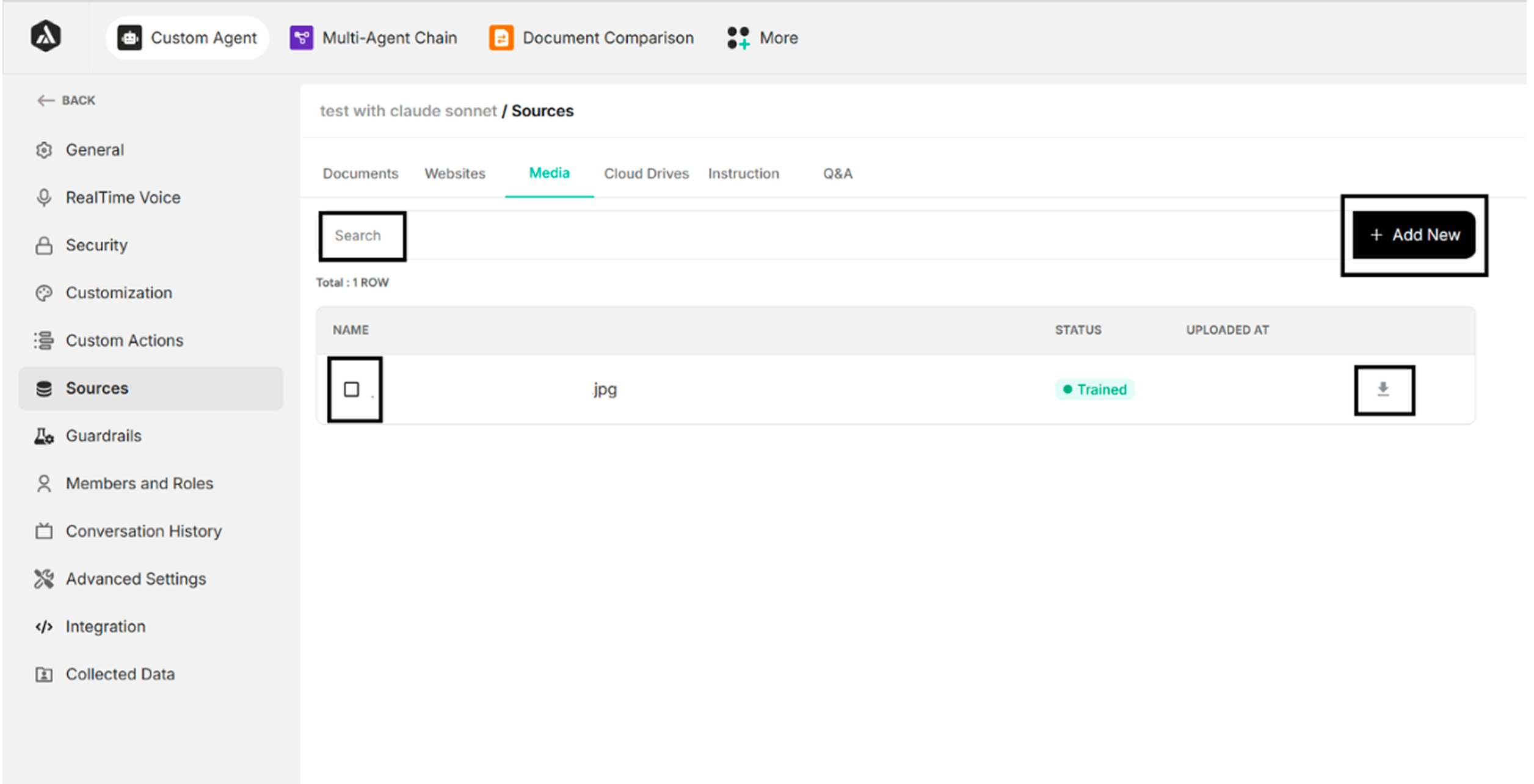 Figure: Media Files Section Interface
When a file checkbox is selected, the Delete button becomes visible, enabling users to remove the selected file.
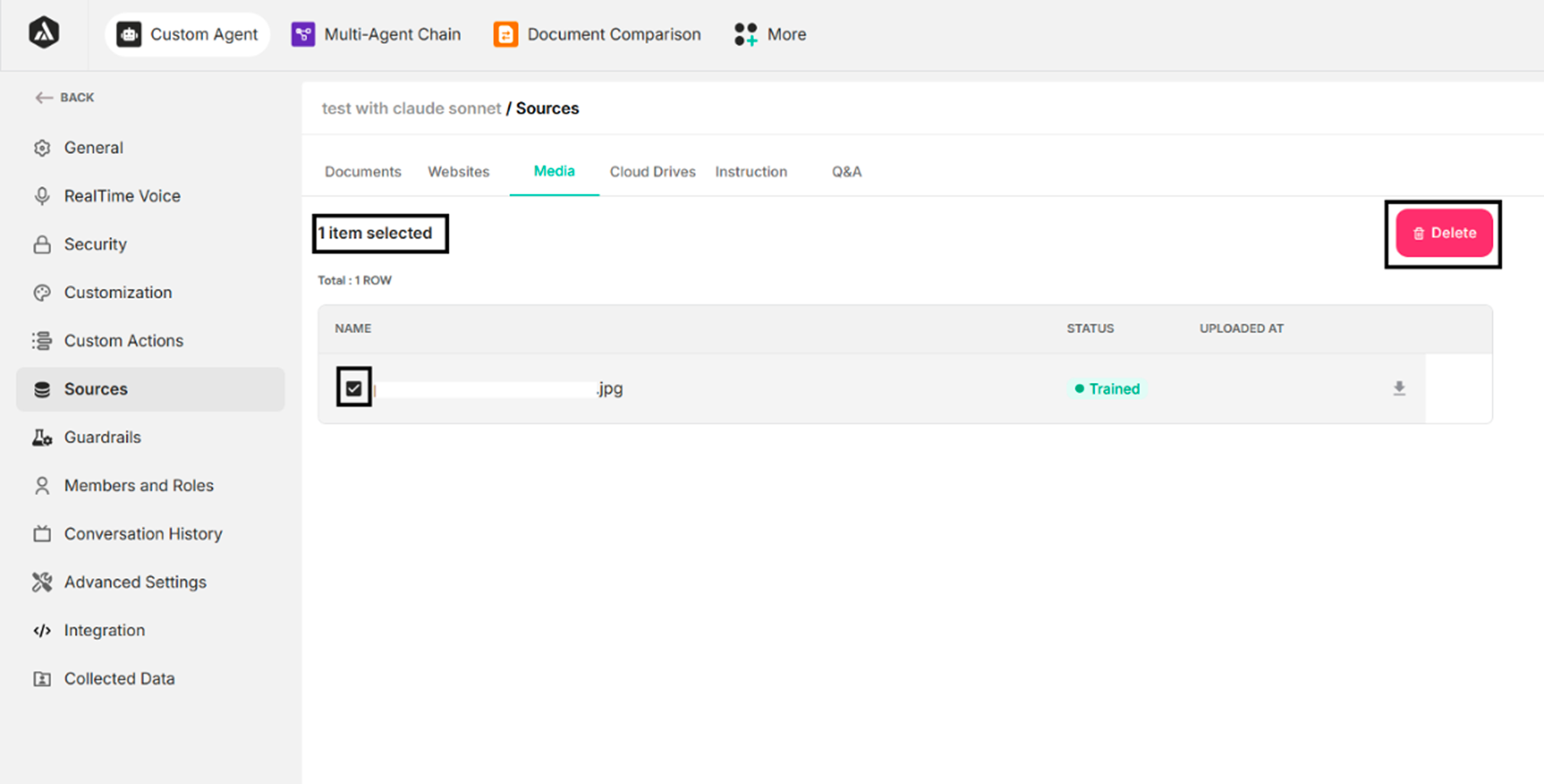 Figure: Delete Button Activation State